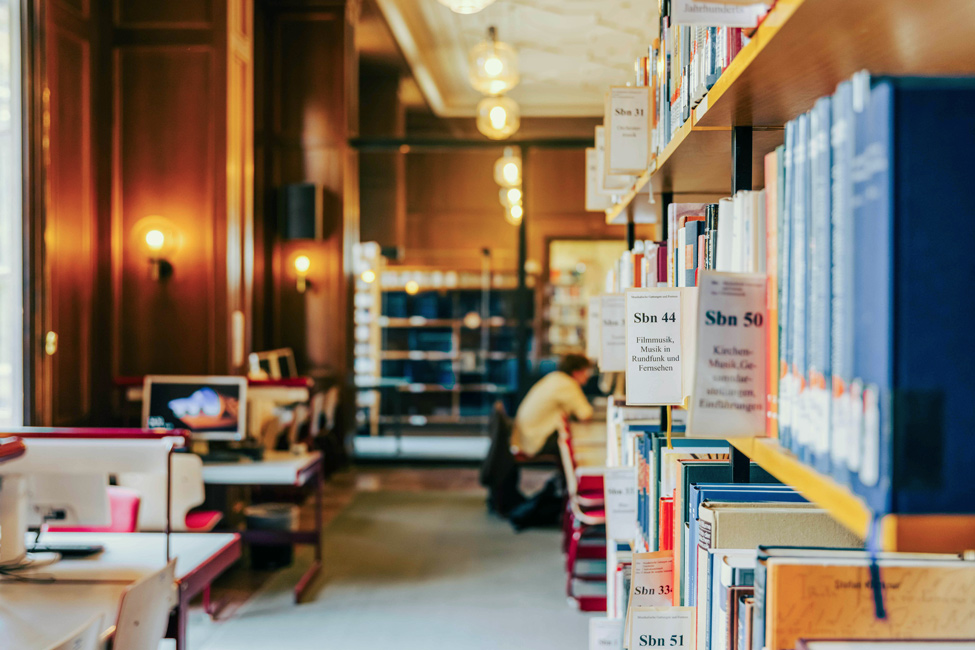
The library offers teachers and students at the Munich University of Music and Performing Arts a space for academic research and concentrated work. In addition to the open-access collection, course reserve collections are freely accessible in the reading room. Various electronic resources are also available.
The reading room has 24 user workstations with individual lighting and WiFi connection, as well as power outlets for mobile devices. Nine of these workstations have printer connections.
Use of the PC workstations requires personal authentication with your LRZ ID and, for licensing reasons, is only available to university members.
Headphones for use with our CDs, DVDs, and online resources on the computers and playback devices in the reading room can be borrowed free of charge at the circulation desk.
Wi-Fi coverage is available in the library reading room via eduroam.
A printer is connected to the PC workstations in the library reading room. Use of the printer is subject to a fee (4 cents/page) and requires the purchase of a printer coupon at the circulation desk.
You can check your printer credit balance on this website (in German): https://print.mwn.de
There is also a copier available in the reading room, which can be operated with a multifunction card or the »gray« lecturer copy card. Lecturer copy cards can be recharged at the administration office, and the chips for the multifunction card can be recharged at the TUM cafeteria opposite.
The copier in the library is equipped with a scan function. To scan at the copier, you need a personal USB stick and your multifunction card (student ID, lecturer ID, etc.). Scanning and saving to a USB stick is free of charge. Scans on the copier can only be made in PDF format. The costs for printing from the copier or printer from USB sticks are the same as the costs for copying.
Scanning at the public scanner is also free of charge. You can save your scans to your personal USB stick in *.tif, *.jpg, *.pdf, or *.docx (with OCR preset) formats.
Quick guide to scanning with the public scanner:
1. Insert your USB stick and place your document on the device with the text facing up.
2. Press the green bar. The document will be saved immediately as a file on your stick.
3. If you want to save multiple pages in one file, activate the »Multipage« function before scanning.
In a course reserve collection you will find books that are reserved for a specific seminar for the duration of one semester and are temporarily grouped together under the topic of the seminar offered in the reading room.
To ensure that you can always find the media for the individual courses in the library, the books are part of the reference collection for the duration of the semester and cannot be borrowed. You can view the currently available semester collections in webOPAC.
Note for lecturers:
Please provide us with your reading list containing the titles you have selected for a semester collection before the start of the semester. You can also send us your watch list from webOPAC with the corresponding call numbers.
The literature list should include your name and the topic of the seminar.
Please let us know in good time before the end of the semester if you wish to keep the course reserve collection beyond the duration of the current semester and during the semester break. Otherwise, at the beginning of the new semester, we will assume that you no longer need the collection and will remove it to make room for new collections.
In the reading room, you will find a small collection of books, sheet music, magazines, and newspapers. If you wish to borrow any items, please register them at the circulation desk.
Media marked with a red dot on the spine are not available for borrowing and may only be viewed in the reading room (reference collection). The magazines on display and the media in the semester collections are also reference materials.
The majority of the collection is not freely accessible but is stored in closed stacks. These media can be ordered for use in webOPAC or at the counter.
When ordering via webOPAC, the delivery time (sometimes 1-2 opening days) is displayed; see »Overview of locations and delivery times«, PDF in German.
Many media are now only accessible online via our catalog or the database information system (DBIS). For more information, see »Searching and finding.«